
Last week a colleague of mine, configuring the BizTalk TMS service, reported me the error “String was not recognized as a valid DateTime”.
Starting the service, we found the following two messages in the Windows Server event log:
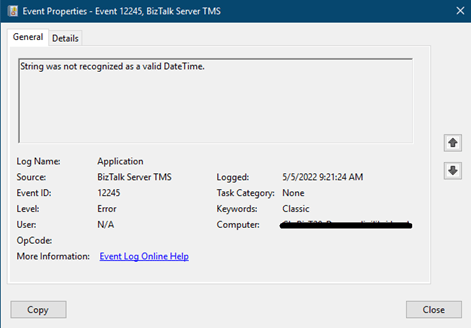
Figure 1 – String was not recognized as a valid DateTime
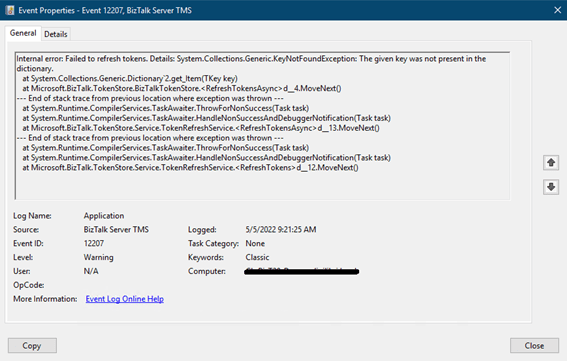
Figure 2 – The given key was not present in the dictionary
We tried to uninstall the service, reinstall it and reapply the BizTalk Server 2020 CU3 but nothing. Until then, we tried to change the regional settings and everything started working.
It’s not about the fact that they didn’t like a specific regional setting because putting the original one back kept working. Rather it appears that there was a condition that caused the exception and changing the settings resolved.
I wanted to share this little experience because we have not found anything about it.


Pingback: May 9, 2022 Weekly Update on Microsoft Integration Platform & Azure iPaaS - Hooking Stuff Together
Pingback: May 9, 2022 Weekly Update on Microsoft Integration Platform & Azure iPaaS - BizTalkGurus
Hi,
Which regional settings you changed. I have same issue. Previous user have United States regional setting. Currently We have United Kingdom but not working.
I had the Italian regional settings and changed it to english United States. Even bringing it back to Italian worked. This behavior repeated on two farms of my different customers.