
When you remove an existing BizTalk Business Activity Monitoring (BAM) view using BM.exe command, you could get the following error message: “XML parsing failed at line 1, column 0: A document must contain exactly one root element”.
This occurs only if the view contains Analysis Services cube objects such as measures and dimensions.
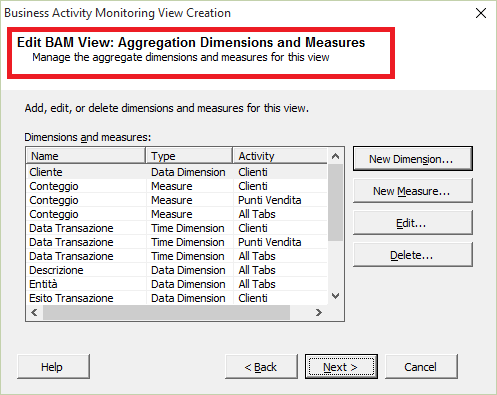
When you deploy a BAM view that contains OLAP objects, BM.exe generates an Integration Services package that is able to process data contained in the database BAMPrimaryImport to update the Analysis Services cube.
The package, however, is not scheduled therefore you must configure a SQL Server job that periodically process BAM activities data.
If this is not done and the process has never been performed, you could have the problem.
To resolve it, you have to manually process the cube and re-execute the remove-view command.
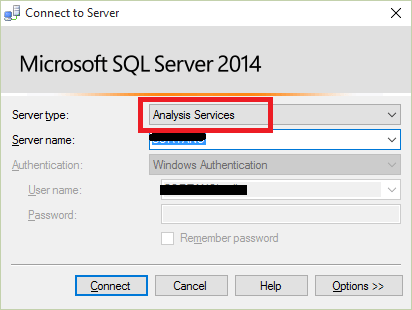
To manually process the cube, open Microsoft SQL Server Management Studio. When “Connect to Server” window appears, select “Analysis Services” as Server type and specify the Analysis Services server name.
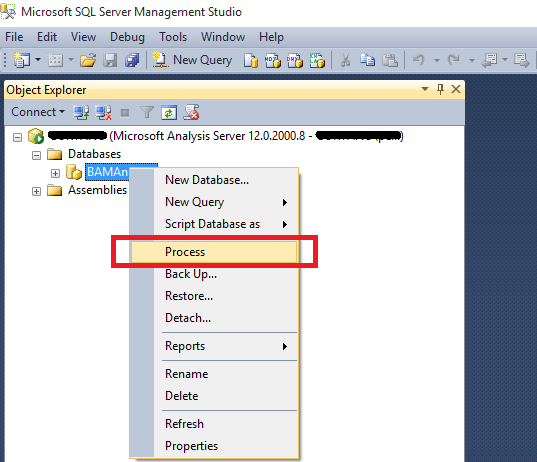
Then expand the “Databases” node and choose the BAM OLAP database (in my case BAMAnalysis). Then right-click on the database and select “Process”
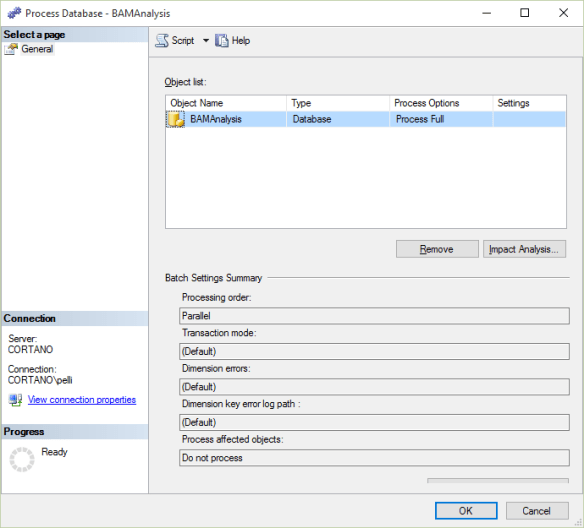
Leave all default settings and click on Ok.
Once Process is complete, re-execute the BM.exe command.

