
Typically, what you do to integrate BizTalk directly with the Microsoft Dynamics CRM SOAP API is to:
- Generate CRM artifacts;
- Replace the schemas generated with those found in the CRM SDK.
These two simple actions, allow you to implement integration flow with CRM. In case of errors in the interfaces, the CRM is able to generate fault messages that can be very useful for identifying and solving problems. To make sure that BizTalk intercepts properly these messages you need to follow two additional steps.
To generate CRM artifacts
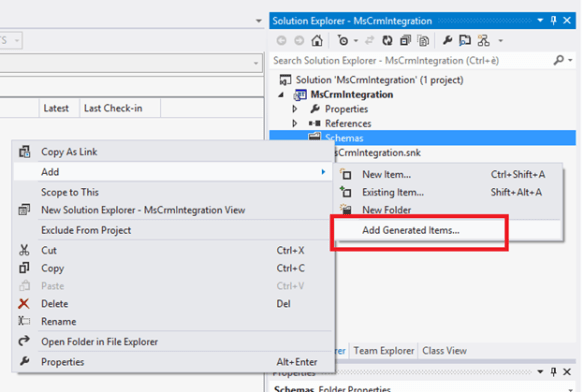
Right click the BizTalk project and choose Add then Add Generated Items
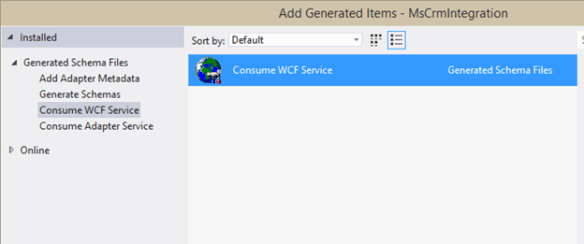
Select “Consume WCF Service”
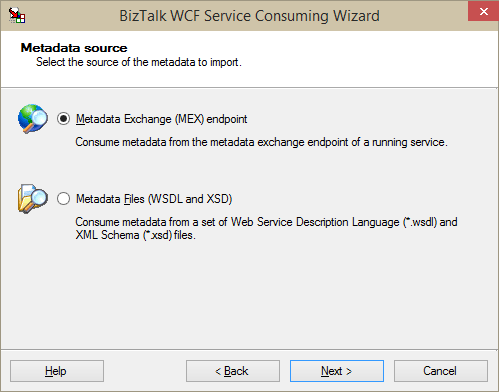
Select “Metadata Exchange (MEX) endpoint
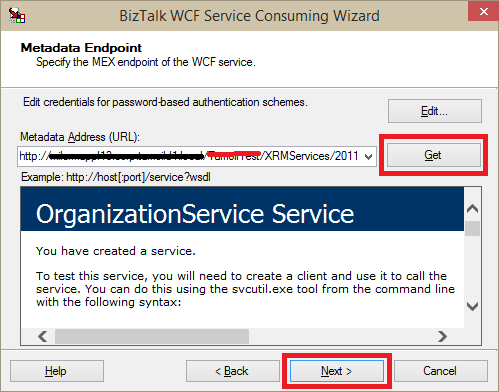
Specify CRM WCF endpoint in the following form:
http://<servername>/<instance_name>/XRMServices/2011/Organization.svc
Specify a namespace
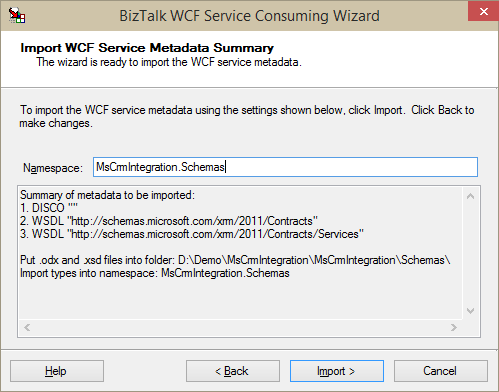
Following you can see the result
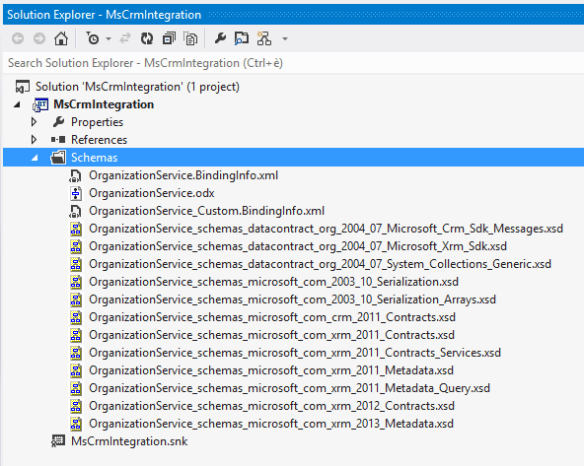
To replace schemas
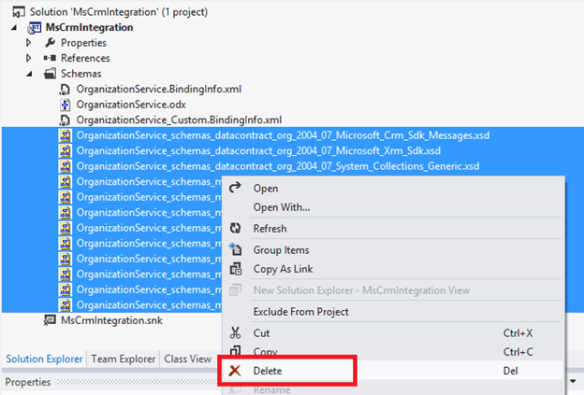
As is known, the XSD generated by the wizard is not correct, then you need to replace them with those made available by the CRM SDK (Microsoft Dynamics CRM Software Development Kit (SDK) for CRM Online and CRM 2013 (on-premises)).
Remove the generated schemas
Right click the BizTalk project and choose Add then Existing Item
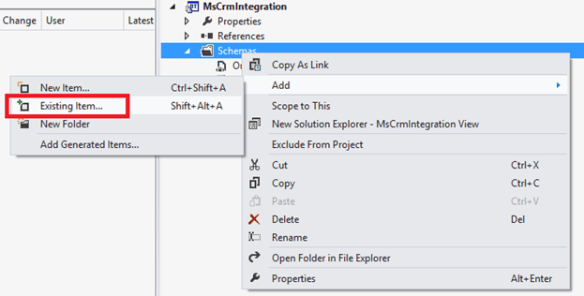
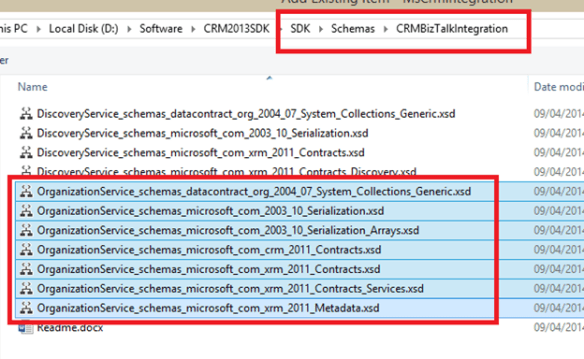
Browse the folder where you have unpacked the CRM SDK package, go into the “SDK\Schemas\CRMBizTalkIntegration” folder, select the schemas with the name that starts with “organizationservice” and click Add.
To catch CRM fault message
To make BizTalk intercepts fault messages generated by Dynamics CRM, you need to act on the configuration of the WCF service of CRM and the type of fault message defined on BizTalk side.
Locate the web.config WCF endpoint of Dynamics CRM.
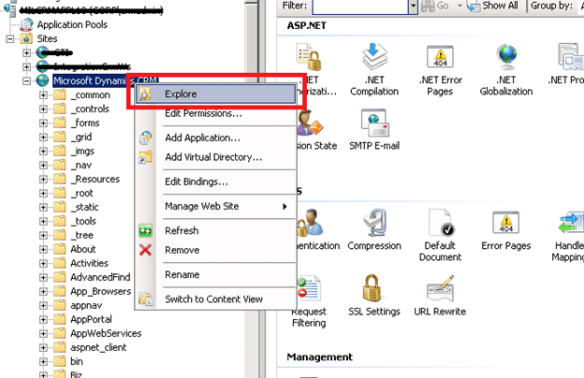
Modify the section “system.serviceModel” inside the web.config.
Original Vesion
<system.serviceModel>
  <serviceHostingEnvironment aspNetCompatibilityEnabled="true" />
</system.serviceModel>
New version
<system.serviceModel>
  <serviceHostingEnvironment aspNetCompatibilityEnabled="true" />
  <behaviors>
    <serviceBehaviors>
      <behavior>
        <serviceDebug includeExceptionDetailInFaults="true" />
      </behavior>
    </serviceBehaviors>
  </behaviors>
</system.serviceModel>
From visual studio, open the orchestration generated by WCF service consuming wizard. From orchestration view, add a new multi-part message type
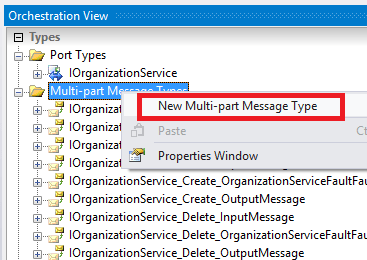
Optionally rename the object
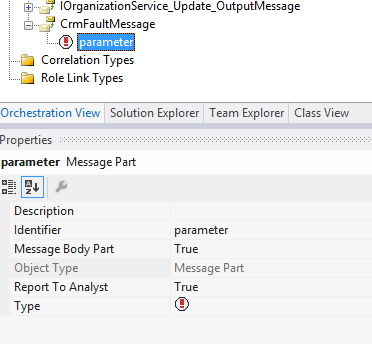
Specify BTS.soap_envelope_1__1.Fault as message type. You can find this schema in the Microsoft.BizTalk.GlobalPropertySchemas assembly
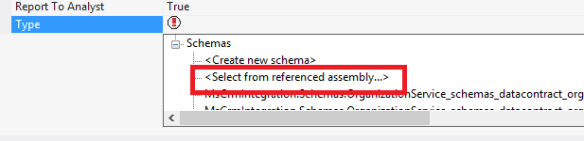
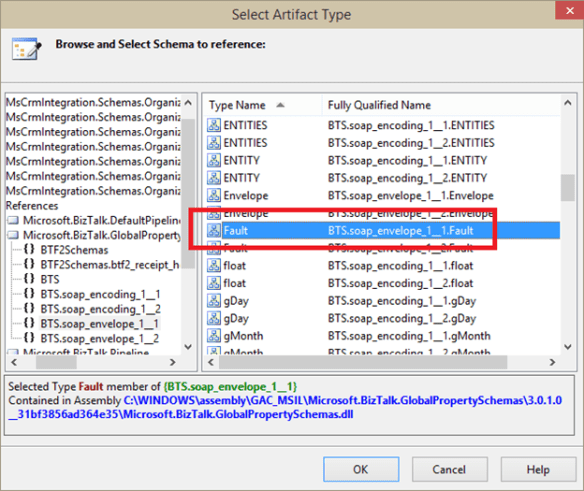
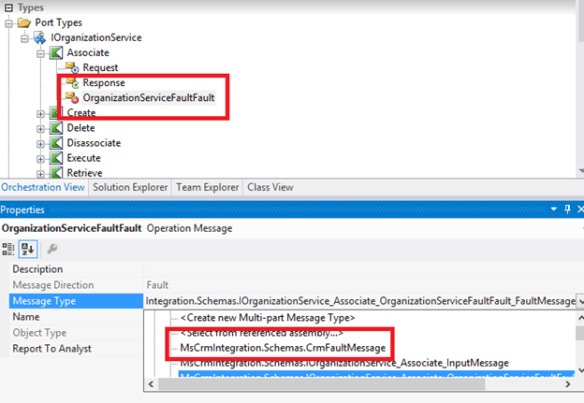
Expand the port types, select the port generated by the WCF service consuming wizard and, for each operation, change the message type of the fault message, as shown below.
 Salvatore Pellitteri's Integration Blog