
In recent weeks, I happened to integrate RabbitMQ with BizTalk Server 2013. Great, I thought, there is a magnificent TechNet article that explains how to do it.
Too bad that I had to communicate using Json.
Anyway, Eventually I succeeded, but with some customization that I want to share.
The step to follow are four:
1. Follow the article http://social.technet.microsoft.com/wiki/contents/articles/7401.biztalk-and-rabbitmq.aspx to configure all the components
2. Customize RabbitMQ .Net Client
3. Follow the article https://pellitterisbiztalkblog.wordpress.com/2014/05/05/send-and-receive-json-formatted-message-with-biztalk-server/ to Implement a custom pipeline component to receive e send Json messages
4. Configure the send and receive ports
To customize RabbitMQ .Net Client
Open the solution and modify “rabbitmq-dotnet-client-3.2.1\projects\wcf\RabbitMQ.ServiceModel\src\serviceModel\RabbitMQInputChannel.cs” file.
In particular, find the “Receive” method and change the following highlighted line of code:
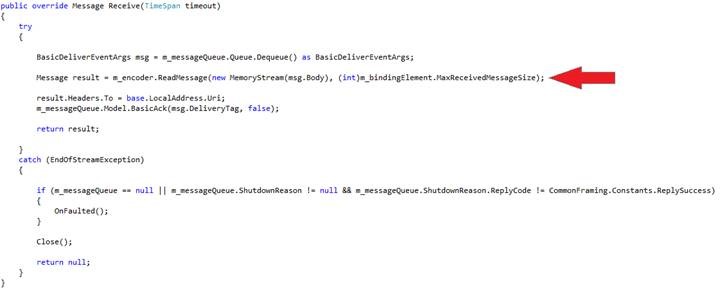
With the following:
|
var ms = new MemoryStream(msg.Body); var bodyString = Encoding.UTF8.GetString(ms.ToArray());
System.Diagnostics.Debug.Write(bodyString);
bodyString = String.Concat(@”<s:Envelope xmlns:s=””http://www.w3.org/2003/05/soap-envelope”” xmlns:a=””http://www.w3.org/2005/08/addressing””><s:Header><a:MessageID>urn:”, Guid.NewGuid().ToString(), “</a:MessageID></s:Header><s:Body>”, System.Web.HttpUtility.HtmlEncode(bodyString), “</s:Body></s:Envelope>”);
System.Diagnostics.Debug.Write(bodyString);
ms = new MemoryStream(Encoding.UTF8.GetBytes(bodyString));
Message result = m_encoder.ReadMessage(ms, (int)m_bindingElement.MaxReceivedMessageSize);
|
Then, find the “Open” method and change the following highlighted line of code:
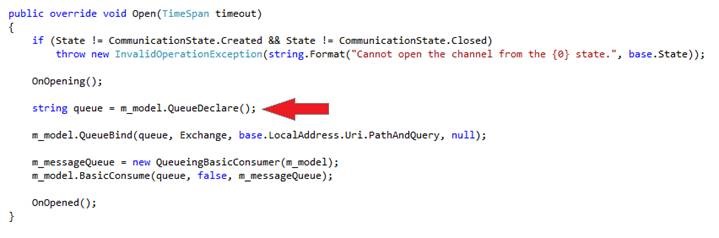
With the following:
|
string[] uriParser = base.LocalAddress.Uri.PathAndQuery.Split(“/”.ToCharArray());
// Create a queue for messages destined to this service, bind it to the service URI routing key string queue = m_model.QueueDeclare(uriParser[uriParser.Length – 1], true, false, false, null);
|
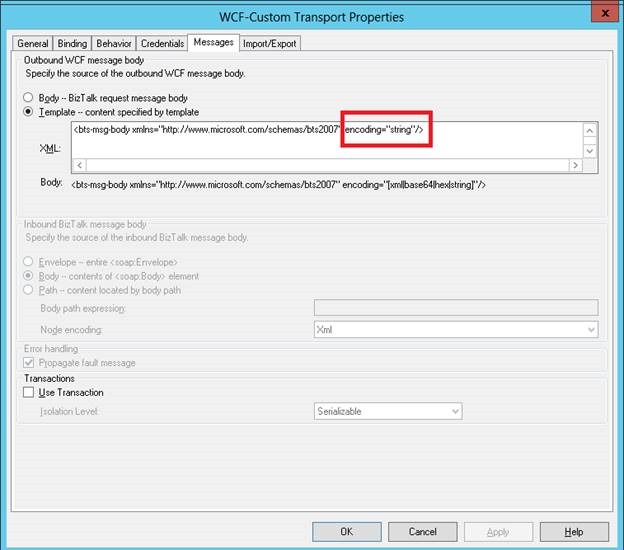
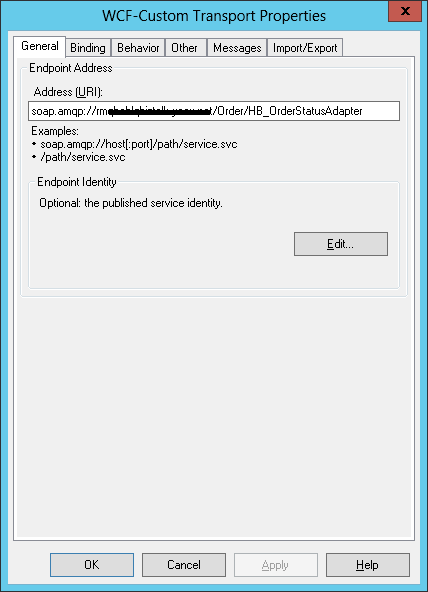
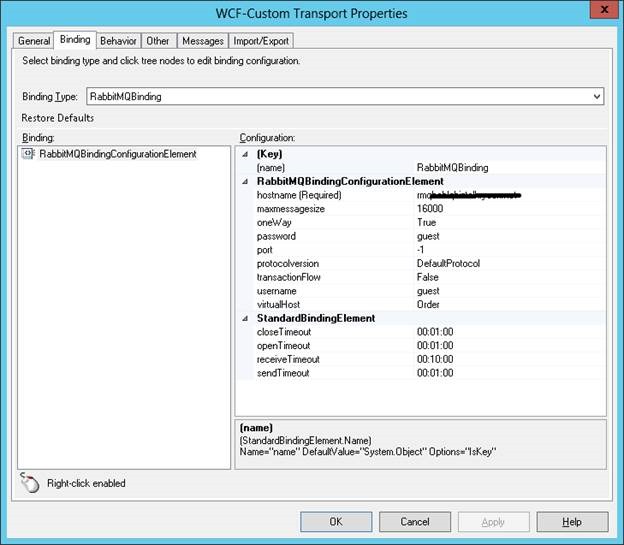
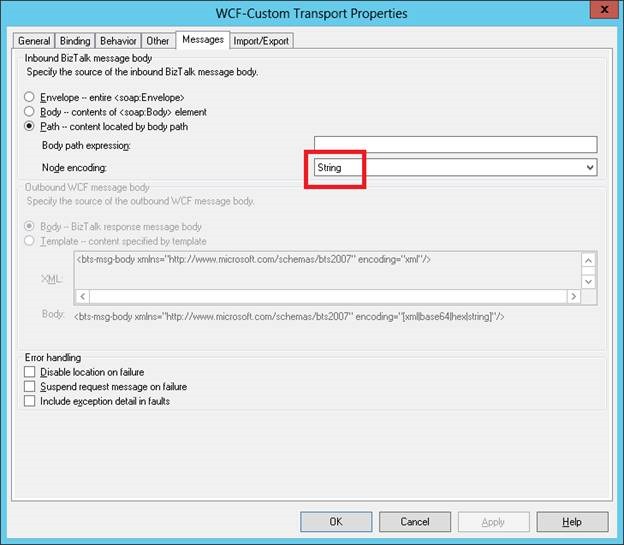
To configure the send port and receive location
Following screenshots of the configuration to be applied to the ports.
Send Port:
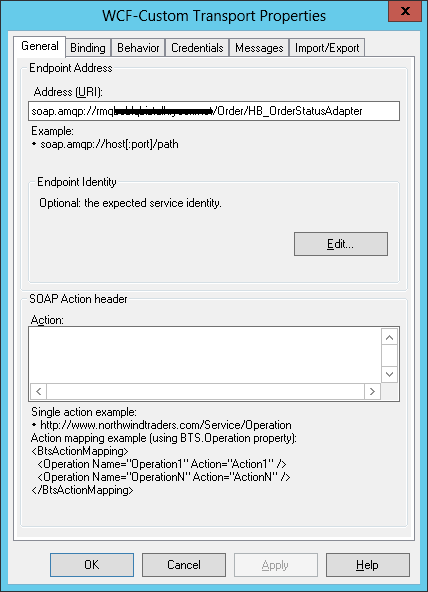
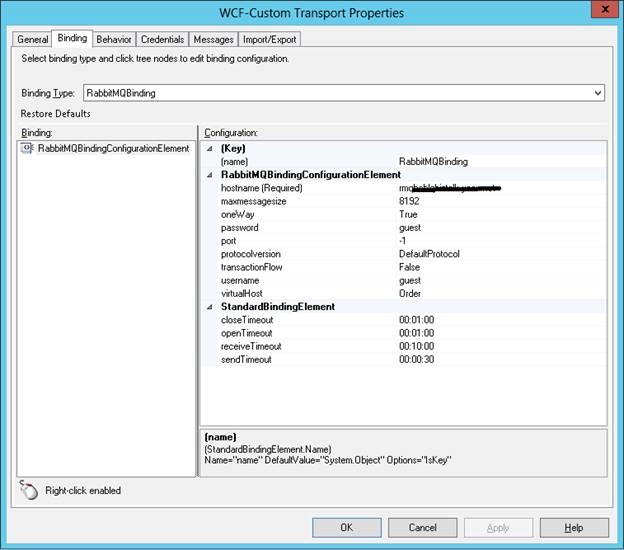
Receive Location:


Reblogged this on Dinesh Ram Kali..